I happen to LOVE grocery haul videos on YouTube! I don't know why, but they get me kind of excited. I really like seeing how other people eat and what groceries in different areas of the country and at different stores cost compared to my own.
I'm not quite at the taking video stage yet, but I plan to get there. In the meantime, here is my grocery haul (well, part of it) from July 1st, 2016. I made a few additional stops over the last few days for more produce and staples that were cheaper elsewhere, but this gives you a basic idea of some of what we eat.
Please note, we are a family of two--a mom and a teenage boy. We also buy most of our produce separately at different stores so not a lot of produce is pictured here.
The apps I mention below are (please note, some are affiliate links):
and the website I print my coupons from is:
- Swagbucks -- Go to the Shopping tab in the menu and then find the link for grocery coupons. With Saving Star, you get points for redeeming coupons. These points, along with points accrued from other activities via Swagbucks, can be redeemed for giftcards. Over the last several years, I have paid for my son's birthday and Christmas presents almost entirely with giftcards earned in this manner. Most months, I am able to earn an average of $20 in Amazon gift cards via Swagbucks. Sometimes I earn a bit more and sometimes I cash out for Starbucks gift cards instead. You can earn a lot more on Swagbucks, but it can be time intensive if you aren't picky. It can also generate a lot of unnecessary junk email if you aren't careful.
Most of these apps and the website are only available to users in the USA, although I believe Checkout 51 is also available in Canada.
Since that haul, I did temporarily misplace my receipts so I am not totally sure of how much I spent or what my savings were overall, but I recall being pleased other than a hiccup with three coupons that I mention below. On average, I save 30 to 50% per grocery trip BEFORE applying rebate app savings. On occasion I get up to 75% savings. My dream, of course, is a 100% savings trip!
On to the haul...
We eat a lot of sandwiches so I picked up two packages of Oscar Mayer lunch meat--both on sale AND I had a coupon. I also picked up a package of dry salami (on sale) and two packages of pre-cooked sausages. And, for my son I picked up a package of pre-sliced Tillamook cheese. For cooking and baking, I picked up a package of Imperial margarine since I am allergic to dairy and thus can't use regular butter. The cheese was on sale AND a rebate was available via the savings app Ibotta. I printed the coupon for the lunchmeat via the website
Swagbucks.
Sugary cereals aren't my ideal, but sometimes we need a super easy sweet treat. Cereal was on sale AND I had coupons printed from
Swagbucks AND a rebate from
Saving Star. We use rice milk in place of regular cow's milk and were running low so I picked up two containers. Our favorite bread was not in stock so I bought our second favorite as well as some bagels. The hamburger buns were on sale AND I had a rebate available from
Ibotta resulting in the buns costing next to nothing. We just use them for regular sandwiches.
We had run out of laundry detergent so I picked up a new bottle. My hair also has been unusually tangled and coarse lately, I think due to the water quality where we live now, so I also picked up some apple cider vinegar. Dilute it with water (I do about 20% vinegar to 80% water most of the time but increase the vinegar after swimming) and pour it over your hair after shampooing and rinsing. Then, rinse it out. The tangles come out so easily! It's like magic!
I also bought some bulk oatmeal, unbleached flour, and sugar to make blueberry muffins--I guessed on how much of each I would need and my guess was spot-on! I also bought my favorite jelly (with a coupon) and muffin tin liners for the blueberry muffins. The jelly jar also will eventually become a bulk spices container once the jelly is all gone and I've washed out the jar.
Lighbulbs...I bought a reading lamp after our move due to not enough natural light in our space, and the only bulbs I had available were much to high in wattage.
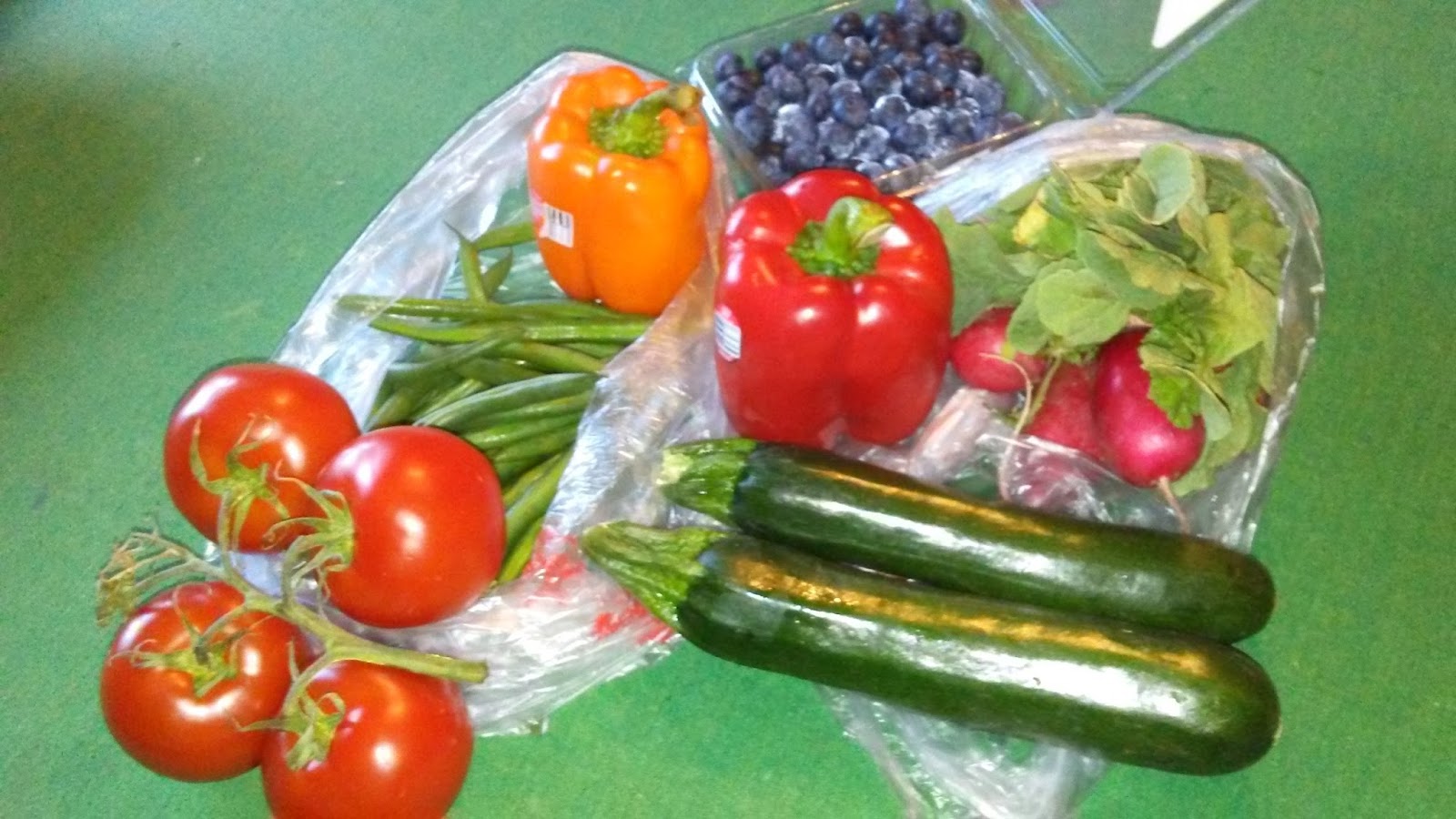
PRODUCE! You can see the blueberries in the back, then two bell peppers, one bunch of radishes, a pound or so of green beans, zucchini, and tomatoes. I had rebates for the peppers and zucchini via Ibotta. I also had a rebate for tomatoes through the app Checkout 51.
Snackies... The Wheat Thin crackers were on sale and I had a rebate available through Checkout 51. I had coupons for the Justin's nutbutter packets that should have made them free, but they resulted in an error message each time the cashier tried to use them. I ended up paying full price for each nutbutter packet and plan to write to the company for a refund due to the coupon problem. I also received a rebate on the Luna bar from both Ibotta and SavingStar and a coupon and a sale price resulting in my $1 Lunabar costing me only 25-cents! The pretzel bites and soda...no comment! My son actually bought the chips himself but gave me the cash and tossed them into our cart.
My work schedule makes it hard for me to prepare three meals per day every day for both of us, so my son gets more frozen foods than I care to admit. The Morning Star patties are for me though.
These next three pictures show my shopping and savings method. I write out a list of what's on sale from each store I frequent with the sale prices, item names, item sizes, and any limitations. Then I also mark (SC) if I have a store coupon, (C) if I have any other coupon, and then abbreviations for any apps that have rebates or offers on the items on my list.
So, I might write:
- $1 Luna Bar (C) (Ib) (S*) to indicate that Luna bars are on sale for $1 but I have a coupon plus rebates available from both Ibotta and Saving Star.
I also note the rebates I have selected from
Ibotta,
Saving Star, and
Checkout 51. At the top of the page, I make a list of anything else on my shopping list. After I get home or get back to my car, depending on how many rebates I need to take care of or how many stops I've made, I process the rebates. For Ibotta, Saving Star, and Checkout 51 and my local stores, this involves scanning the barcodes on most items (the apps include the scanning mechanism) and taking pictures of the receipts. Ibotta pays out the fastests after scanning your items, but Ibotta and Checkout 51 both require that you accrue $20 before you can actually get the rebates sent to you. Saving Star has a threshold of $5 before you can request your rebates.


I also recently started using
Shopkick. I'm so new to it that I have yet to decide how useful it will be. It appears that you can get deals and savings through Shopkick, but I am far more interested in the fact that you can accumulate points (called "kicks") just by walking into certain stores or by scanning the bar codes on selected products. Right now I have 275 kicks.
You can trade the points in for gift cards ranging from Starbucks to TJ Maxx/Homegoods/Marshalls to clothing stores to Wal-Mart. Some are available for as little as 500 kicks, but that is only for a $2 gift card. My current goal is 1250 kicks for a TJ Maxx/Homegoods/Marshalls gift card as we moved at the start of June and have lots of things to replace! Our move was far enough that we got rid of almost everything we owned before moving (sold, donated, or trashed everything!).
If you use
Shopkick or
Swagbucks and redeem your points or kicks for Starbuck's gift cards, be sure that you register one card and transfer all of your balances to it via Starbuck's! That way, every time you make a purchase using your Starbuck's gift card you can earn Star Rewards--points towards free drinks, food, and merchandise. Most of the time you earn 2 stars for every dollar spent, but there are monthly double reward days and other deals and specials that can greatly increase your stars and your potential for freebies.
What other apps or saving programs do you utilize? I have downloaded a few others but either they don't have items available that I would use or they aren't as easy to navigate.